
Welcome to our guide on custom PC building! If you’re wondering whether your custom PC needs a heat sink, you’re in the right place. Heat management is crucial for maintaining performance and protecting your components.
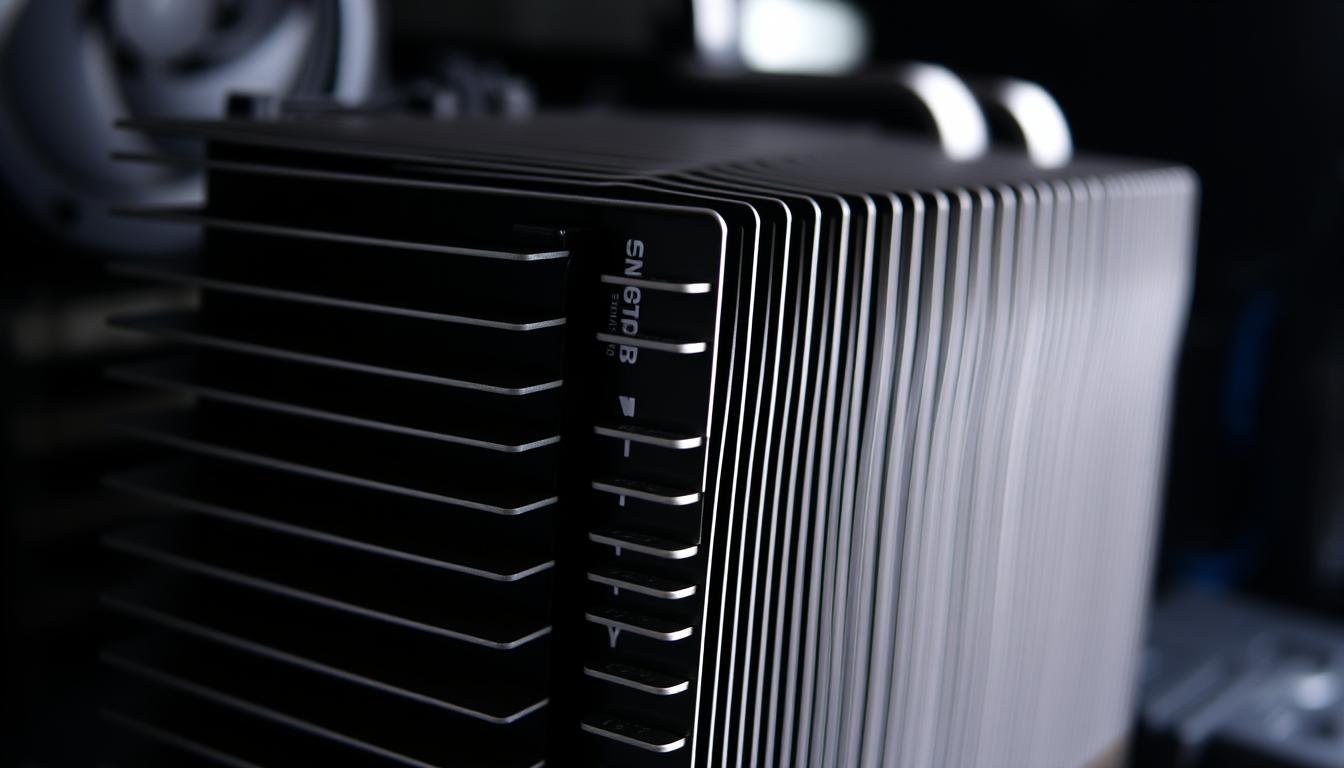
A heat sink plays a vital role in absorbing and dispersing heat generated by critical components like the CPU. As Christopher Trick explains, heat sinks work through metal fins that help distribute heat away from the source, ensuring your system runs smoothly.
Modern CPUs generate significant heat, making proper thermal management essential. This article will explore whether your custom PC needs a heat sink, covering both CPU and SSD cooling needs. We’ll discuss the importance of heat sinks, how to evaluate your system’s requirements, installation tips, and best practices for optimal performance and protection.
Stay tuned as we dive into the details to help you make informed decisions for your custom PC build. With components becoming more powerful, effective cooling solutions are more important than ever to prevent overheating and ensure longevity.
The Importance of Heat Sinks in Custom PC Builds
Heat sinks are essential for maintaining your computer’s performance and longevity. They play a crucial role in managing heat, which is vital for any system. By efficiently drawing heat away from critical components like the CPU, heat sinks ensure your system runs smoothly and reliably throughout the year.
How Heat Sinks Prevent Overheating
Heat transfer occurs through thermal conduction, where heat moves from the CPU to the heat sink. Metal fins, typically made of copper or aluminum, are key to this process. These materials are chosen for their high thermal conductivity, allowing them to absorb and distribute heat effectively. The fins increase the surface area, enabling heat to be expelled into the air through convection. This prevents the CPU from overheating, protecting your computer from damage and ensuring optimal performance.
Types of Heat Sink Solutions for CPUs and SSDs
There are three main types of heat sinks: passive, active, and hybrid. Passive heat sinks rely on natural convection, making them quiet and suitable for low-power systems. Active heat sinks use fans to enhance cooling, ideal for high-performance CPUs. Hybrid solutions combine both methods, offering versatile cooling for various needs. Each type has its benefits, ensuring you can choose the right cooling method for your computer’s requirements.
Modern cooling systems often integrate both passive and active technologies. This approach ensures efficient heat management, keeping your system cool and reliable. Whether you’re building a high-performance gaming PC or a compact office computer, the right heat sink is crucial for maintaining efficiency and longevity.
Does My Custom PC Need a Heat Sink?
Evaluating your custom PC’s cooling needs is essential for optimal performance. Whether you’re gaming or handling heavy data, understanding your system’s requirements ensures reliability.
Evaluating Your Custom PC Cooling Needs
Assessing your PC’s cooling needs involves several factors. Component placement, workload intensity, and ambient conditions all play a role. For instance, a CPU handling heavy applications or gaming requires robust cooling to prevent overheating.
Key Factors in Heat Sink Selection and System Cooling
When selecting a heat sink, consider your computer’s workload. High-performance CPUs benefit from active cooling solutions, while low-power systems might suffice with passive ones. Additionally, SSDs operating in high temperatures can throttle, affecting performance.
| System Type | Cooling Challenges | Recommended Solution |
|---|---|---|
| Consumer PC | Moderate heat from CPU and SSD | Passive or hybrid cooling |
| Professional PC | High heat from intense workloads | Active cooling with high-quality heat sinks |

Monitoring temperatures is crucial. Tools like temperature sensors help track CPU and SSD temperatures, ensuring they stay within safe ranges. Proper heat sink selection prevents throttling, enhancing system stability throughout the year.
Installation Tips and Best Practices
Proper installation of your heat sink is crucial for ensuring your system runs smoothly and stays cool. Whether you’re building a new PC or upgrading your current setup, following these steps will help you get the job done right.
Proper Heat Sink Installation Techniques
Start by preparing your CPU. Gently remove the protective covering from the heat sink’s base. Apply a small, pea-sized amount of thermal paste to the CPU’s die (the top surface). This ensures optimal heat transfer. Next, align the heat sink with the CPU, making sure the mounting clips or screws are secure. Tighten them evenly to avoid misalignment. Use a spirit level to ensure the heat sink is straight, and apply gentle pressure to prevent damaging the CPU.
Overcoming Common Challenges in Setup
One common issue is air pockets in the thermal paste, which can reduce efficiency. To fix this, use a credit card to spread the paste evenly before mounting. Misaligned mounting can also occur; check for any gaps between the heat sink and CPU. If you notice uneven contact, adjust the clips or screws carefully. Finally, ensure good airflow within your computer’s chassis by positioning fans to draw cool air in and expel hot air out. Regularly clean dust from fans and fins to maintain performance over time.
Conclusion
Investing in proper cooling is one of the best decisions you can make for your computer. Heat sinks play a crucial role in protecting your CPU and SSD from overheating, ensuring your system runs smoothly and lasts longer. Throughout this guide, we’ve explored how heat sinks work, the different types available, and how to choose the right one for your needs.
Remember, evaluating your computer’s cooling needs is essential. Whether you’re gaming, working, or just browsing, a well-chosen heat sink can make a big difference. Don’t forget to check your system regularly to ensure it’s running cool and efficiently. By keeping your computer well-maintained, you’ll enjoy better performance and energy efficiency over time.
If you have more questions or need further guidance, feel free to explore more resources or reach out for help. A properly cooled computer is a stable and reliable one—so keep it running smoothly!


