
Have you ever wondered if a CPU really needs a heat sink? The answer might surprise you. Modern CPUs generate a significant amount of heat during operation, making cooling essential for optimal performance and longevity.
Imagine your CPU as a cup with water pouring in constantly. Just like the cup overflows without a drain, a CPU can overheat without proper cooling. This is where a heat sink comes into play, acting like a drain to dissipate excess heat efficiently.
While some systems rely on passive cooling, others use active methods like fans to remove heat. Both approaches ensure your CPU stays cool, maintaining system stability and performance. In this article, we’ll explore the importance of cooling and the various methods available to keep your CPU running smoothly.
Whether you’re building a new system or upgrading, understanding CPU cooling is crucial. Let’s dive into the world of heat sinks and fans to find the best solution for your needs.
Understanding CPU Cooling Needs
When it comes to keeping your computer running smoothly, understanding how your CPU manages heat is key. Every processor generates heat, and how well it’s managed can affect both performance and longevity.
The Role of Thermal Dissipation Power (TDP)
TDP, or Thermal Design Power, is a measure of how much heat a CPU generates under normal operation. Think of it like the cooling capacity your system needs to handle. A higher TDP means more heat, requiring a better cooling solution to keep temperatures in check.
Why Surface Area is Crucial in Heat Management
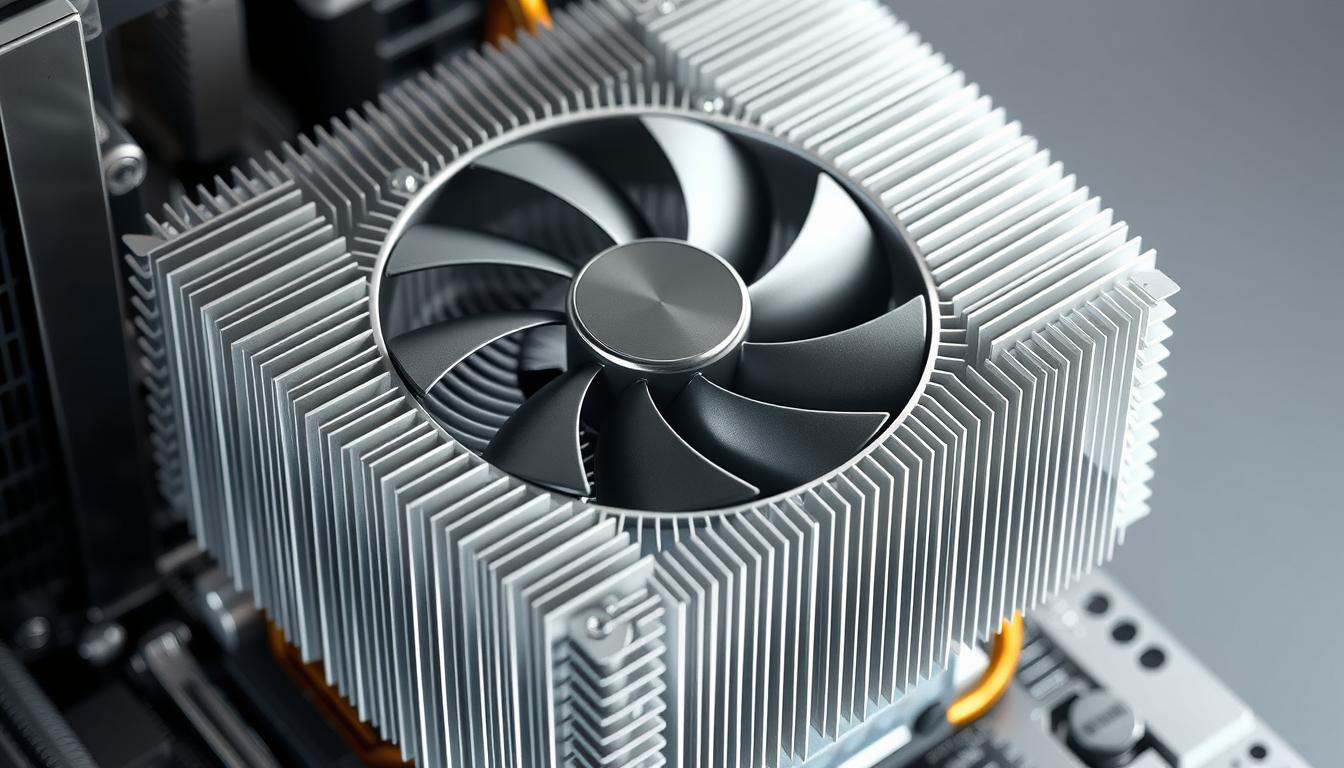
A larger surface area on a heat sink allows more efficient heat dissipation. It’s like having more radiators to cool down the engine. This is why high-performance CPUs often have larger, more advanced heat sinks.
Processors vary in their cooling needs. For instance, ARM processors typically have lower TDPs compared to Intel processors, which may require more robust cooling solutions. While some systems can rely on passive cooling, others need active methods like fans to stay cool.
The design and size of the heat sink play a crucial role in maintaining safe temperatures. Proper cooling not only protects your hardware but also ensures optimal performance. In the next section, we’ll explore the various cooling solutions available to meet your CPU’s needs.
Determining the Right Cooling Solution
Choosing the right cooling solution for your CPU can make a big difference in performance and system stability. Whether you’re overclocking or just running everyday tasks, the right cooler keeps your processor at safe temperatures.
Active Cooling vs. Passive Cooling Options
Active cooling uses fans to move air and remove heat, while passive cooling relies on natural airflow without fans. Active cooling is better for high-performance CPUs, while passive is quieter but less powerful.
Comparing Stock Coolers and Aftermarket Choices
Stock coolers are good for basic use but might not handle overclocking. Aftermarket options like the be quiet! Shadow Rock 2 or Cooler Master Hyper 212 Evo offer better cooling and lower noise.
| Cooler Type | Performance | Noise Levels | Compatibility |
|---|---|---|---|
| Stock Coolers | Basic | Higher | Limited |
| Aftermarket | High | Lower | Broad |
Effective Use of Thermal Paste
Thermal paste is key for heat transfer. Use about 3 grams, applying a small pea-sized dot. This ensures good contact without excess.
Always check your CPU’s TDP and system load to choose the right cooler. Consider case size and cooler height to avoid fit issues. Testing with stress tests helps ensure your setup works well.
does a cpu need a heat sink
When it comes to CPU cooling, the question of whether a CPU needs a heat sink is straightforward: yes, it does. A heat sink is essential for dissipating the heat generated by the CPU, ensuring it operates within safe temperature limits.
Heatsink Functionality and the Role of the Fan
A heat sink works by increasing the surface area available for heat dissipation. This allows the CPU to transfer heat more efficiently to the surrounding air. However, a heat sink alone isn’t enough; a fan is crucial for actively removing the hot air from the heat sink.
Imagine a cup filling with water; without a way to drain it, it will overflow. Similarly, without a fan, the heat sink can become overwhelmed, leading to dangerous temperature levels. The fan ensures continuous airflow, preventing heat buildup.
| Component | Role | Importance |
|---|---|---|
| Heat Sink | Increases surface area for heat dissipation | Essential for heat transfer |
| Fan | Removes hot air from the heat sink | Prevents overheating |
Proper thermal paste application is also vital, ensuring efficient heat transfer between the CPU and heat sink. While stock coolers suffice for basic use, high-performance CPUs benefit from aftermarket solutions like the be quiet! Shadow Rock 2.
In conclusion, a heat sink and fan combination is necessary for optimal CPU cooling. This setup ensures your processor runs smoothly, avoiding thermal throttling and maintaining peak performance.
Conclusion
Effective cooling is vital for your CPU’s performance and longevity. A heat sink, often paired with a fan, ensures your processor stays within safe temperature limits, especially for high-performance CPUs with higher TDP.
The right cooler depends on your CPU’s thermal demands. While passive cooling may suffice for low-power CPUs, active cooling is better for demanding tasks. Consider factors like case size and TDP when choosing between stock or aftermarket coolers.
Quality thermal paste is crucial for efficient heat transfer. Testing your setup with stress tests can prevent thermal throttling. A well-balanced cooling system not only enhances performance but also protects your hardware, ensuring smooth operation over time.
In summary, a heat sink and fan combination is essential for optimal cooling. Evaluate your current setup to ensure it meets your CPU’s needs, and consider upgrading if necessary for improved efficiency and system stability.


